 84GPT
84GPT
- The WiFi dongle and its calculator plug
- Every app, plus the Store
- Free account: 200 AI questions a month
Launching soon for the TI-84 Plus CE
YouTube, games and AI homework help on your calculator's own screen. A tiny dongle plugs into the side.
The first 10 sign-ups get 15% off.
US orders only. One email when it's ready to order, never shared.


The dongle goes into the calculator's side and a home screen of apps opens: YouTube, Shorts, AI Chat, Math, Search, Messages and a Store for games.
y=These are real screens. The keys under the screen jump between them.
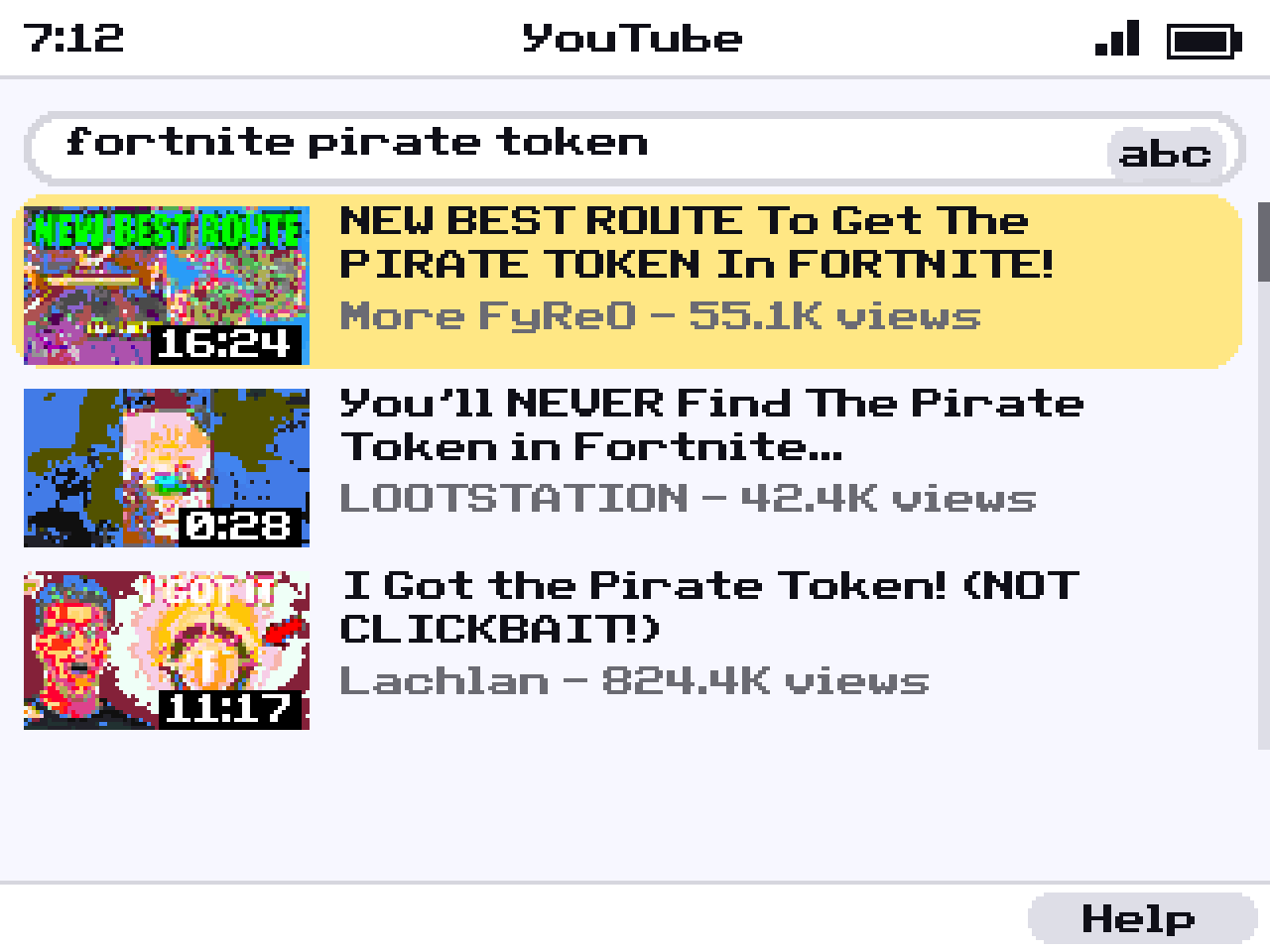
Search for anything and pick from real thumbnails. Each video has its own page with the channel, views and likes. Videos play full screen, and Shorts scroll with the arrow keys. There's no sound: the calculator has no speaker.
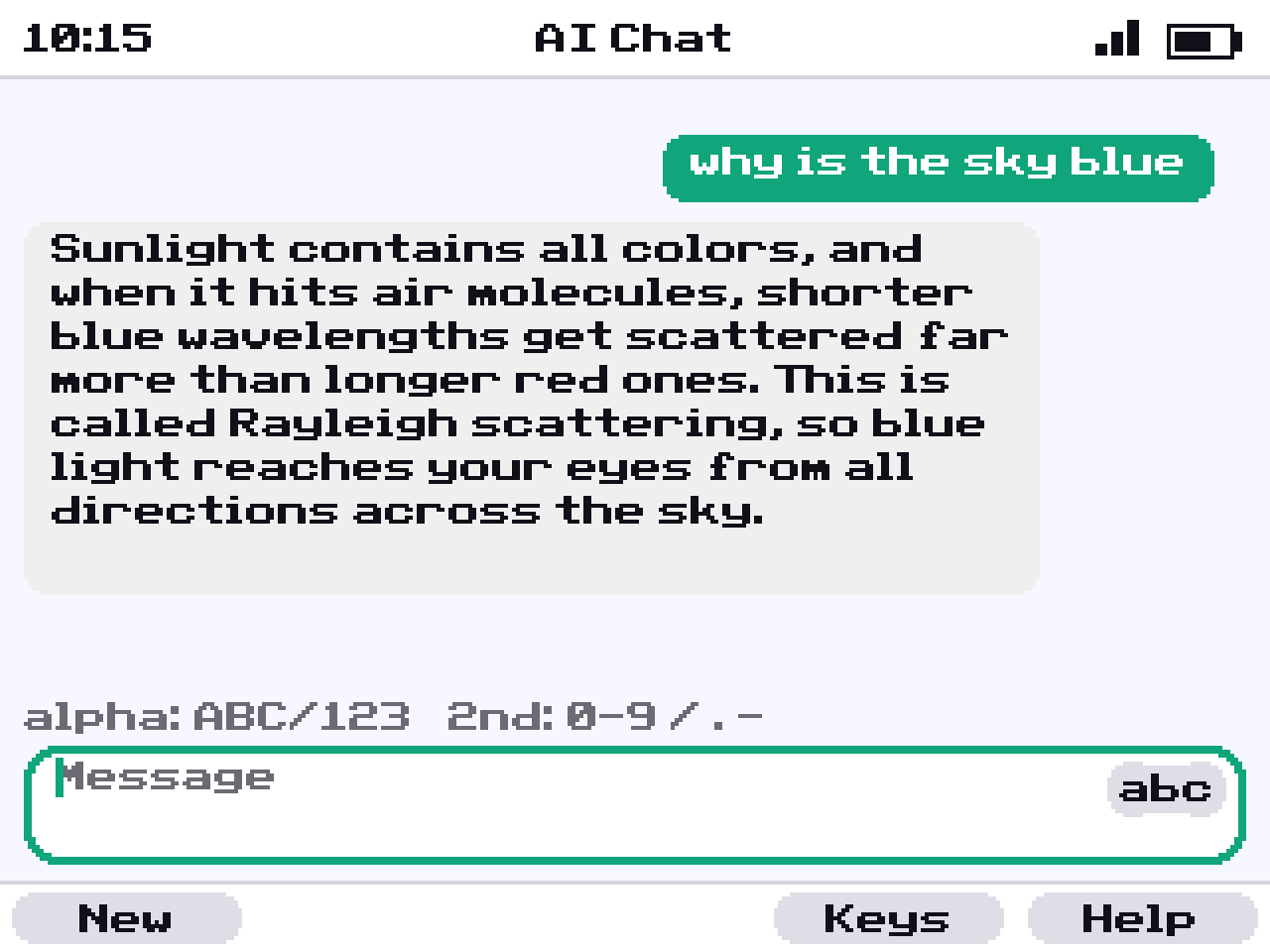
Ask a question and get a short, clear answer sized for the screen. It remembers the conversation when you ask a follow-up.
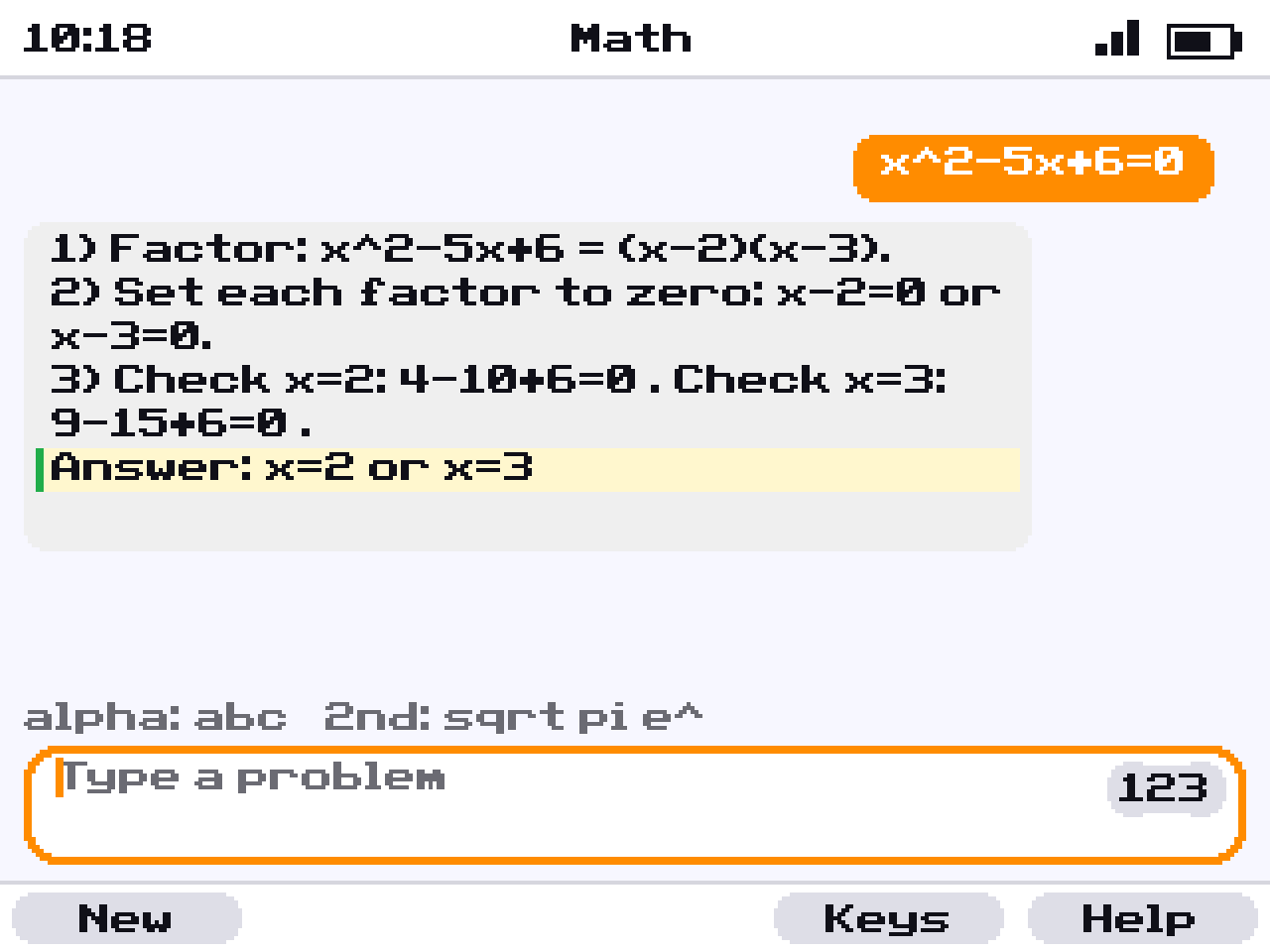
Type it with the calculator's own keys. The Math app shows the working in numbered steps, so you can follow how it gets to the answer.
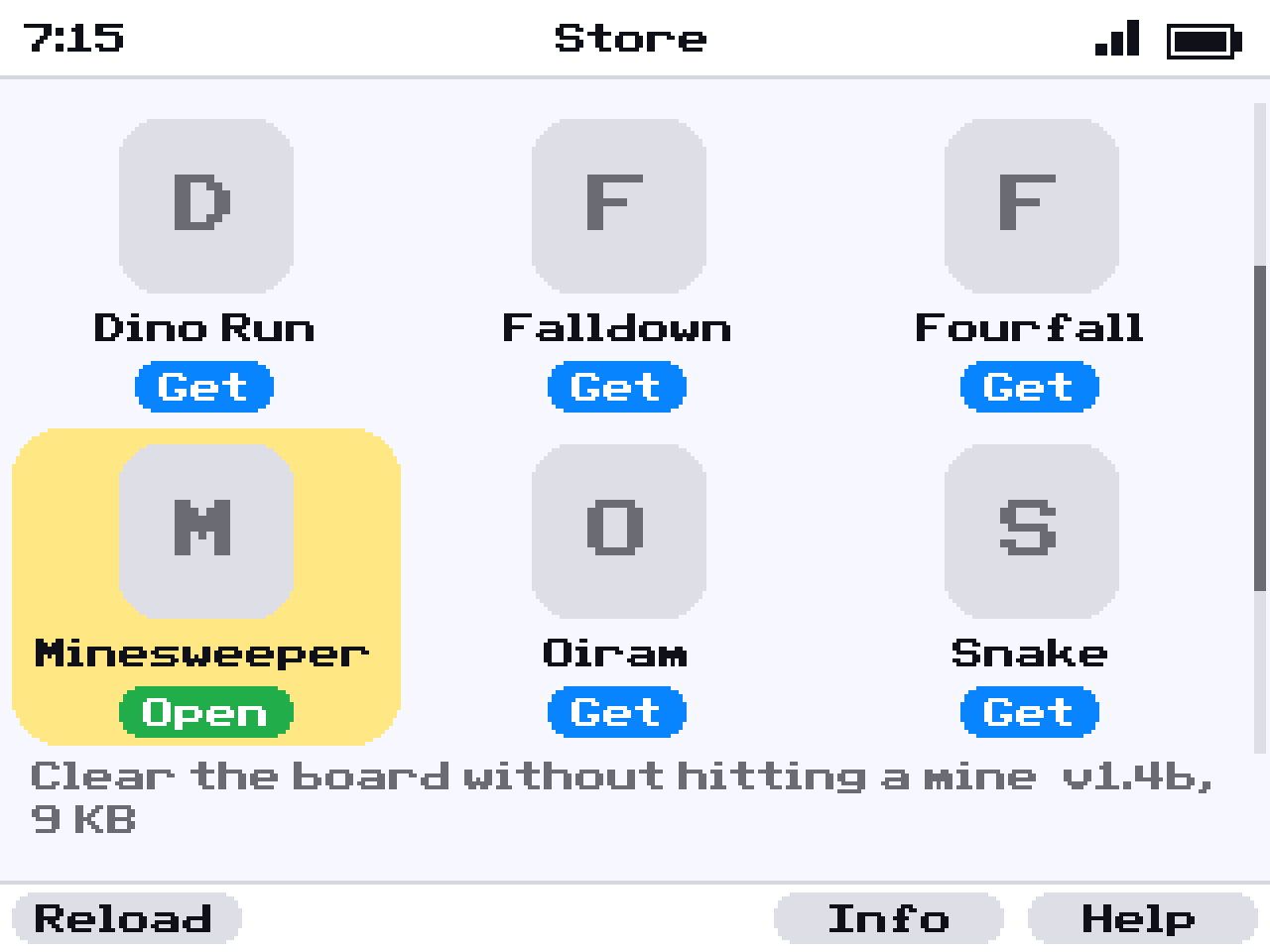
Open the Store, press Get, and play. No computer and no cable, and updates take one press.
See what's in the Store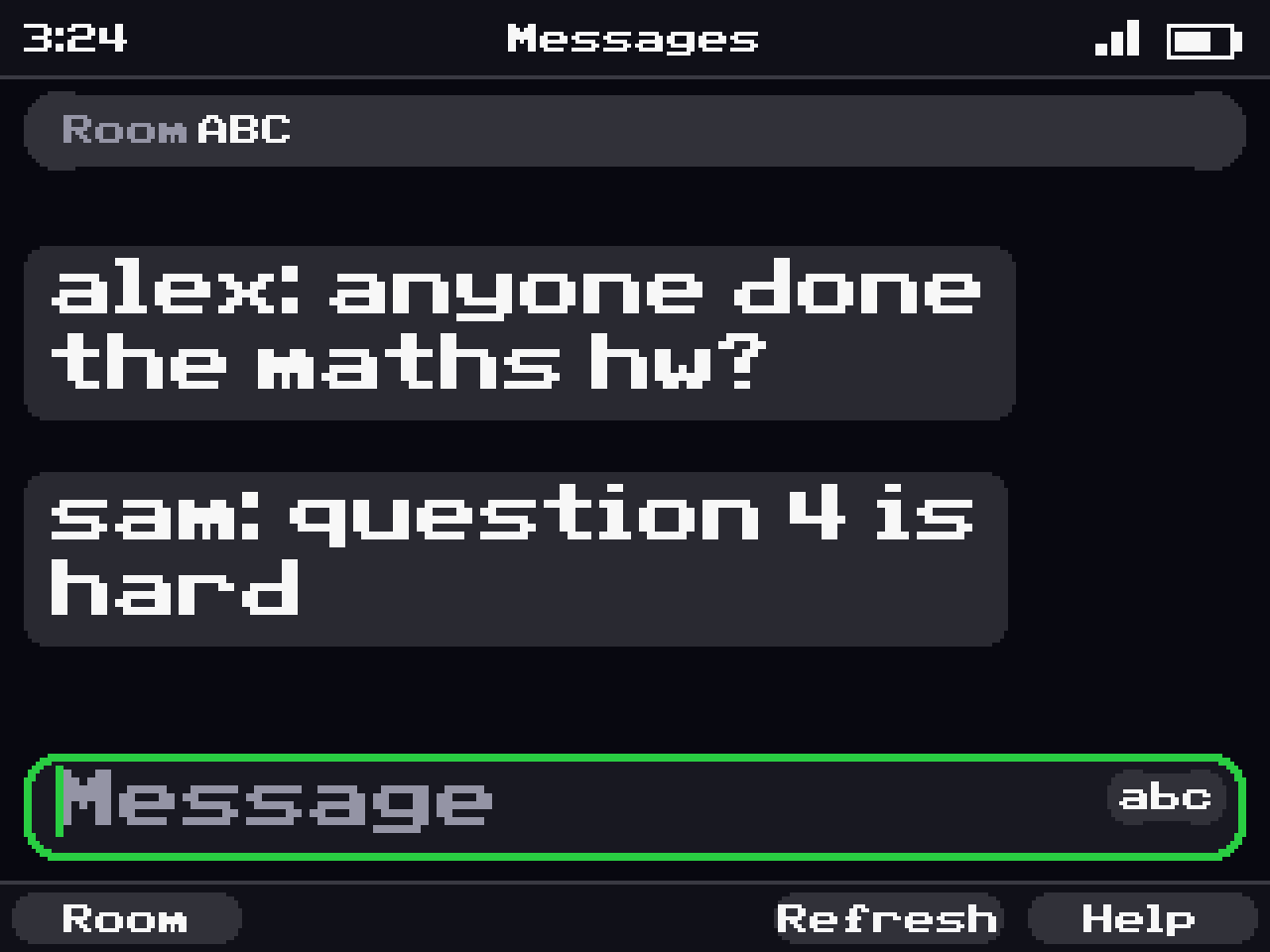
Rooms open with a code you share with friends. Anyone with the code can join, and every room expires after a week.
It sticks out 10 mm from the calculator's side. The shell is sealed, and power comes from the calculator, so there's nothing to charge.

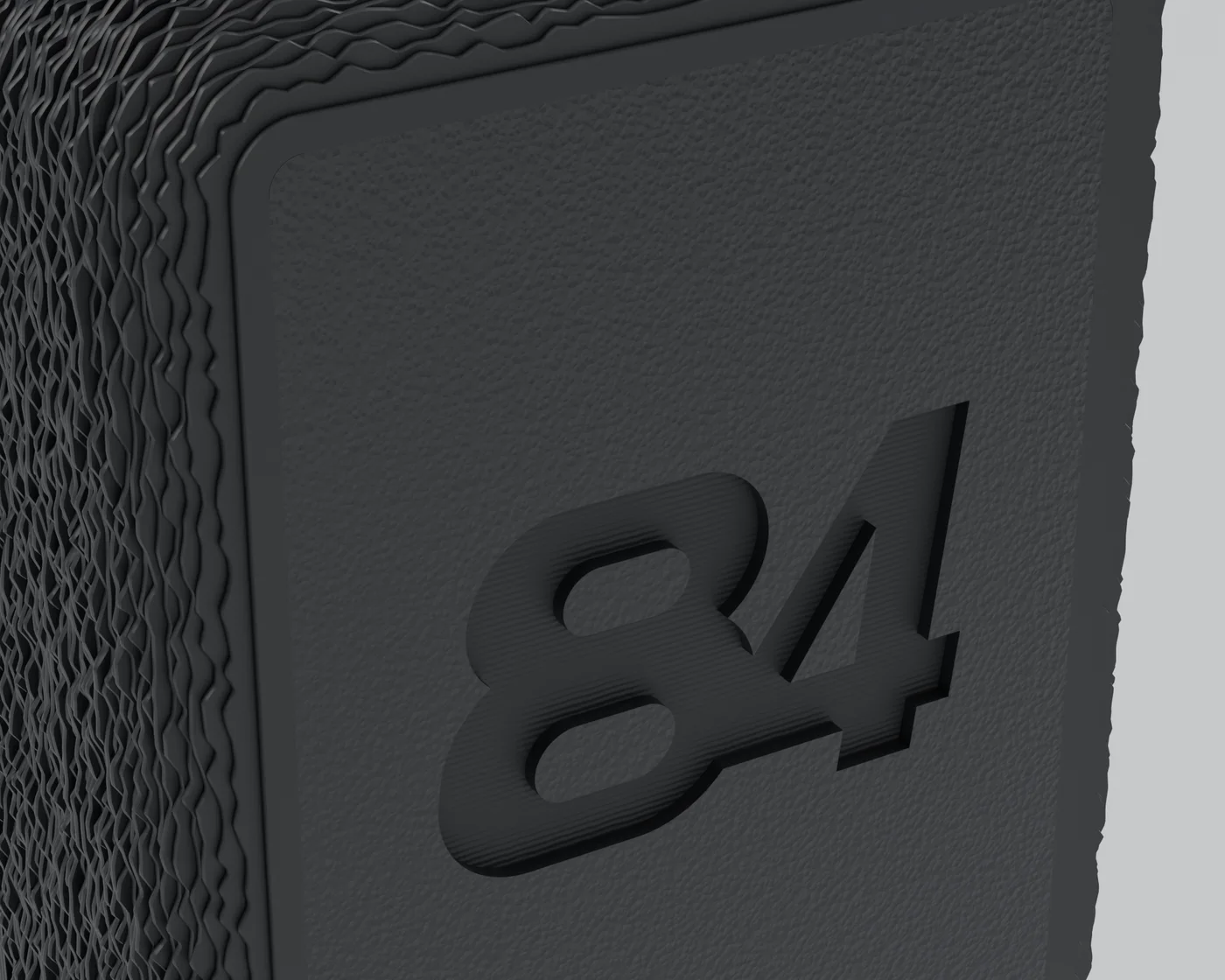
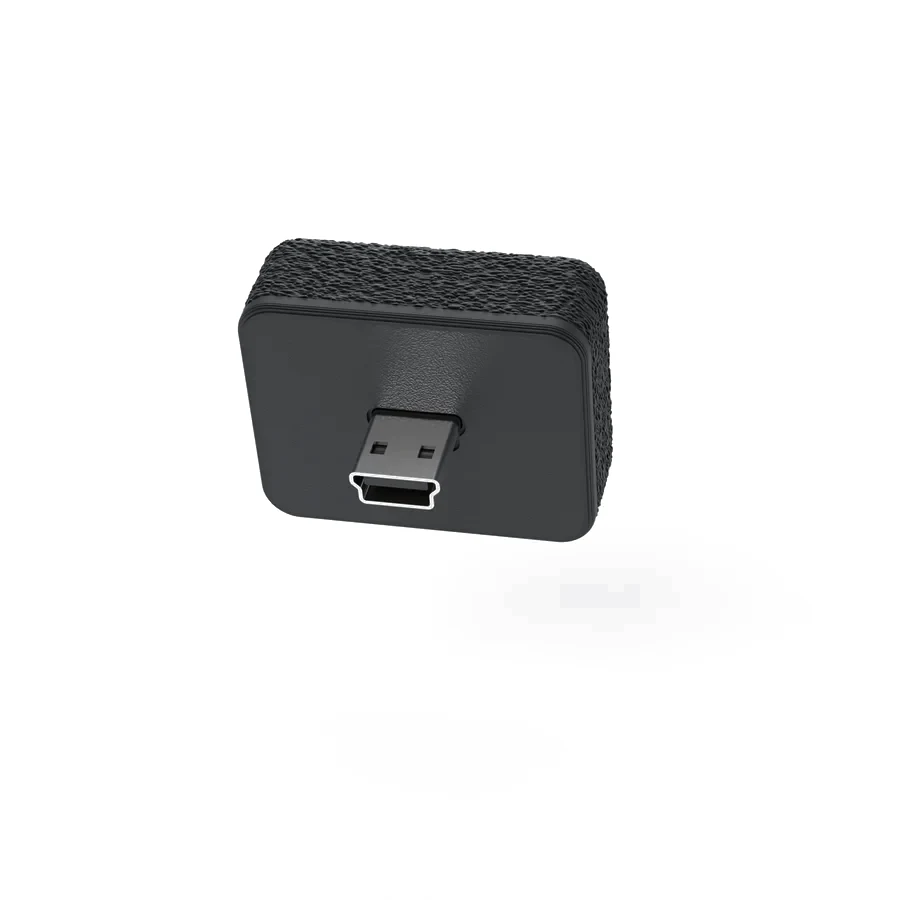
It fits the calculator's USB port and draws its power from the calculator.
Join the WiFi network called "84GPT-Setup", pick your own WiFi and type its password. You only do this once.
Everything lives in one app with its own home screen, made for the calculator's keys.
When a teacher puts the calculator in Press-to-Test mode, the calculator won't run 84GPT at all, so the dongle can't be used. The blinking test light works exactly as it does on any TI-84 Plus CE.
Unplug the dongle before any test anyway. Some tests don't allow anything attached to a calculator.
Everything works with the free account. Plus is there if you use it a lot.
Optional, cancel any time
Something else? Ask us.
The TI-84 Plus CE, including the Python edition. It doesn't work with the older TI-84 Plus, the Silver Edition or the TI-83.
There's no date yet. Everyone on the waitlist gets one email the day orders open, and the first 10 people who joined get a code for 15% off.
Not yet. The first batch ships to the US only, and shipping is free.
A phone, or anything with WiFi and a browser, for the one-time WiFi setup. After that the calculator connects by itself, and the dongle updates over WiFi.
No. A free account gives you 200 AI questions, 20 videos and 1,000 chat messages every month. Plus raises that to 2,000 AI questions if you use it a lot.
Yes. It runs off the calculator, so you'll charge the calculator more often when you use it. We haven't published measured figures yet.
No. The TI-84 Plus CE has no speaker, so videos play silently, full screen.
That's up to your school, so check its rules before bringing it to class. 84GPT can't run in Press-to-Test mode, and the dongle should come out before any test.
Anyone who knows your room's code, so pick one that's hard to guess. Rooms expire after a week, have a swear filter and a rate limit, and can be reported.
The first 10 sign-ups get 15% off.
Join the waitlist and we'll email you once, the day 84GPT is ready to order.
US orders only for now. One email when it's ready to order, never shared.
